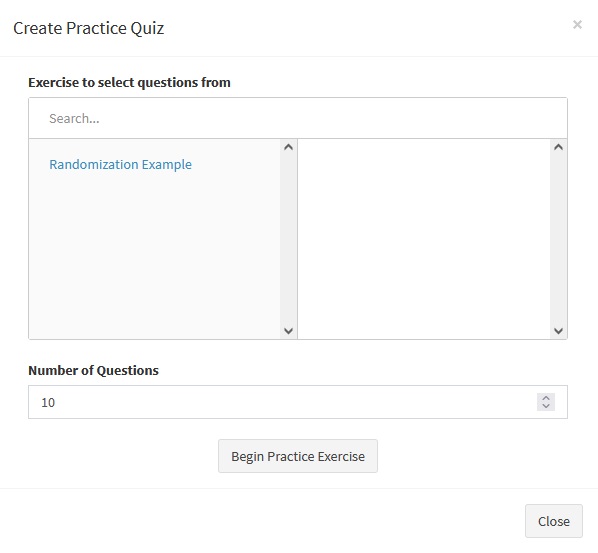
A Practice Exercise allows students to study their course material.
Professors can choose which exercises are available to practice in the Assignment Settings page by toggling the Add to Review setting near the bottom of the page.
The UI is similar to the UI for the Quiz page, with feedback and backtracking always enabled, and an unlimited number of attempts. Marks in Practice Exercises are not stored.
¶ Starting a Practice Exercise
Practice exercises can be found in the Review section of their courses in the classes tab. If there are any exercises in this section, they can be practiced by opening the collapsible box and clicking the Review Exercise button.
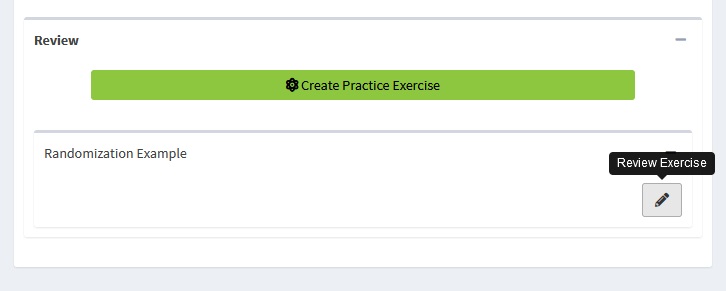
Students also have the option to press the Create Practice Exercise button. This will open a modal that allows them to create practice quizzes that take a set number of questions from a selection of Exercises that are available for Review. This is useful for practicing multiple topics at once, and for creating long exercises that allow for practice through repetition.