An External exercise is a type of Exercise.
This exercise type is used to record the grades of exercises that were completed outside of EduRITA.
This can be useful for calculating final grades and percentages.
¶ Creating an External Exercise
To create an External exercise, navigate to the External Exercises tab on the Dashboard page and click Create a New External Exercise
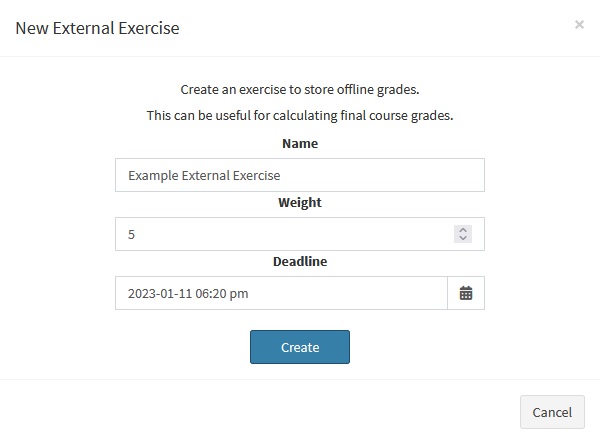
Clicking the button will open a modal prompting you to fill in some information about the exercise.
- Name: The name of the exercise that's being created
- Weight: EduRITA uses weighted averaging to calculate student grades. This value will be used to calculate how much this exercise is worth compared to the other exercises in the course.
- Deadline: The time that the information was due, or that the exercise was completed
Fill in that information and then click Create to create the exercise
¶ Recording External Exercise Grades
After creating an exercise, navigate to the Student Grades tab, click on the Actions menu for the exercise you're recording grades for, and then click View Submissions to navigate to the View Grades page.
In this page, you can create grades for each students' submissions to the external exercise.